Technicians show every finding with photos, video and voice, and customers approve each repair from a text message. Bayline runs on its own, or plugs into the shop system you already use.
SAASStandalone, ready in an afternoonAPIModule for your shop system
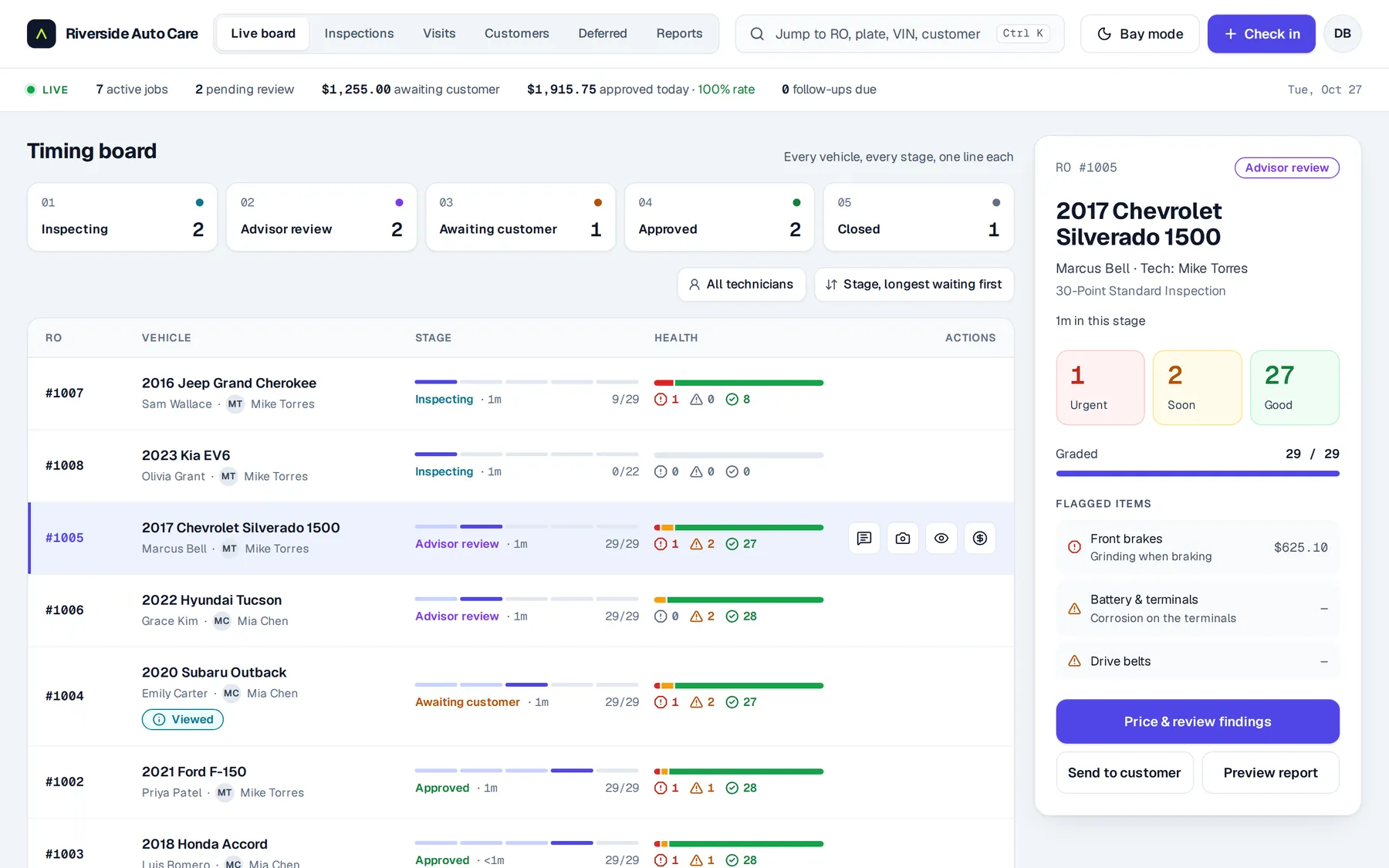
Timing board · Riverside Auto Care
< 2minfrom a finished inspection to a priced report sent by text
73%less time per note when technicians talk instead of type
0invented facts allowed in AI wording, checked on every release
98/ 100mobile performance score of the customer report page
Measured in the product's own release tests. Figures from pilot shops will replace them.
How a car moves through the shop
Five stages, one board, nobody chasing paper.
The same five stages your advisors see on the timing board. Each hand-off happens on its own: the moment a technician submits, the advisor's board moves the car.
01
Check in
Scan the VIN, confirm the customer, record mileage and walk-around photos. Text and email consent is recorded at the counter.
Advisor or tech
02
Inspect
Grade each item Good, Soon or Urgent. Measure tread and pads. Add photos, video and voice notes, online or not.
Technician
03
Review & price
Findings arrive as cards with evidence. Add a canned job, adjust the wording, and the estimate totals itself.
Advisor
04
Send
One button sends a secure link by text and email. You see when it is delivered and when the customer opens it.
Advisor
05
Approve & sign
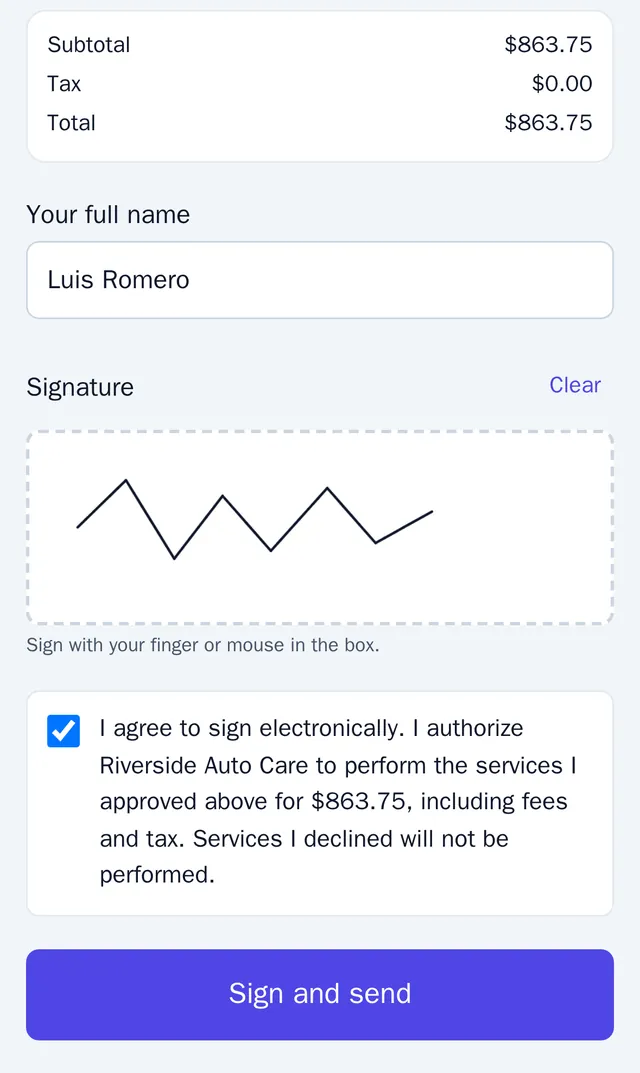
The customer approves or declines each repair and signs. The board shows the approved dollars right away.
Customer
Technician app · tablet and phone
Made for the bay, gloves and all.
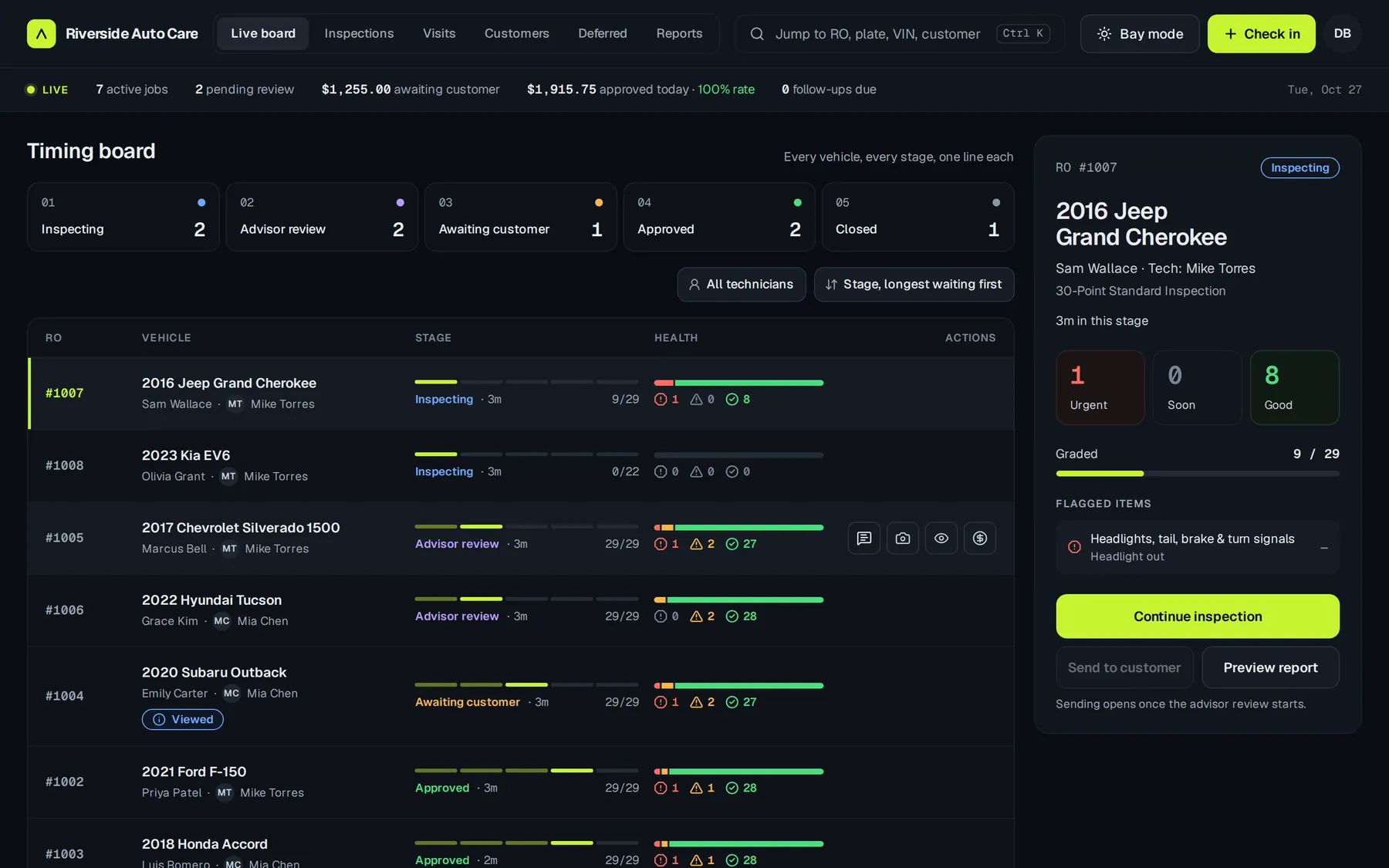
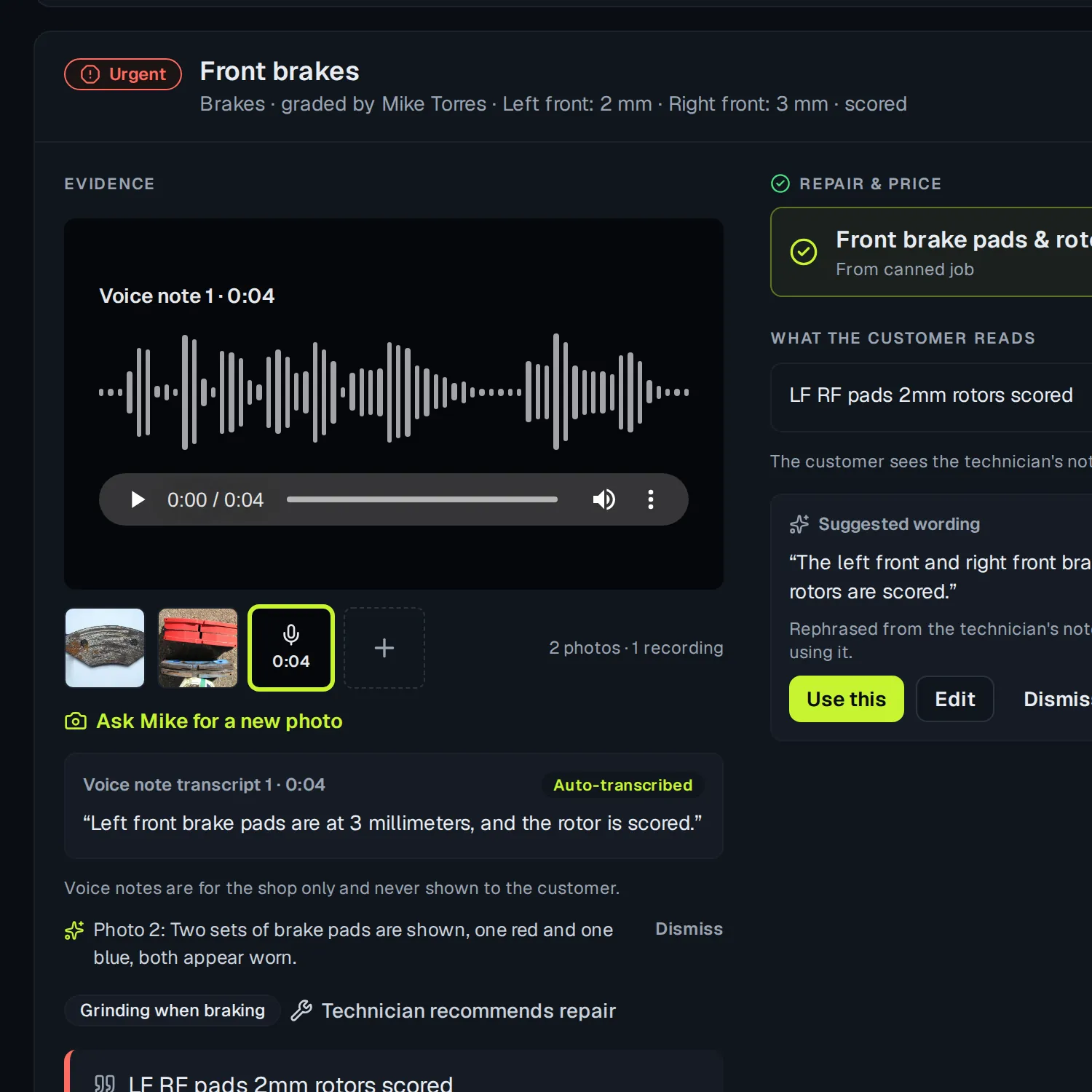
One item at a time, big targets, nothing to hunt for. The app is dark by default for dim bays, with a Daylight switch for the lot.
GoodNo action needed
SoonPlan a repair soon
UrgentNeeds repair now
Works with no Wi-Fi
Grades, photos and videos save on the tablet first and sync when the signal comes back. Nothing is lost if the app closes.
Evidence where it matters
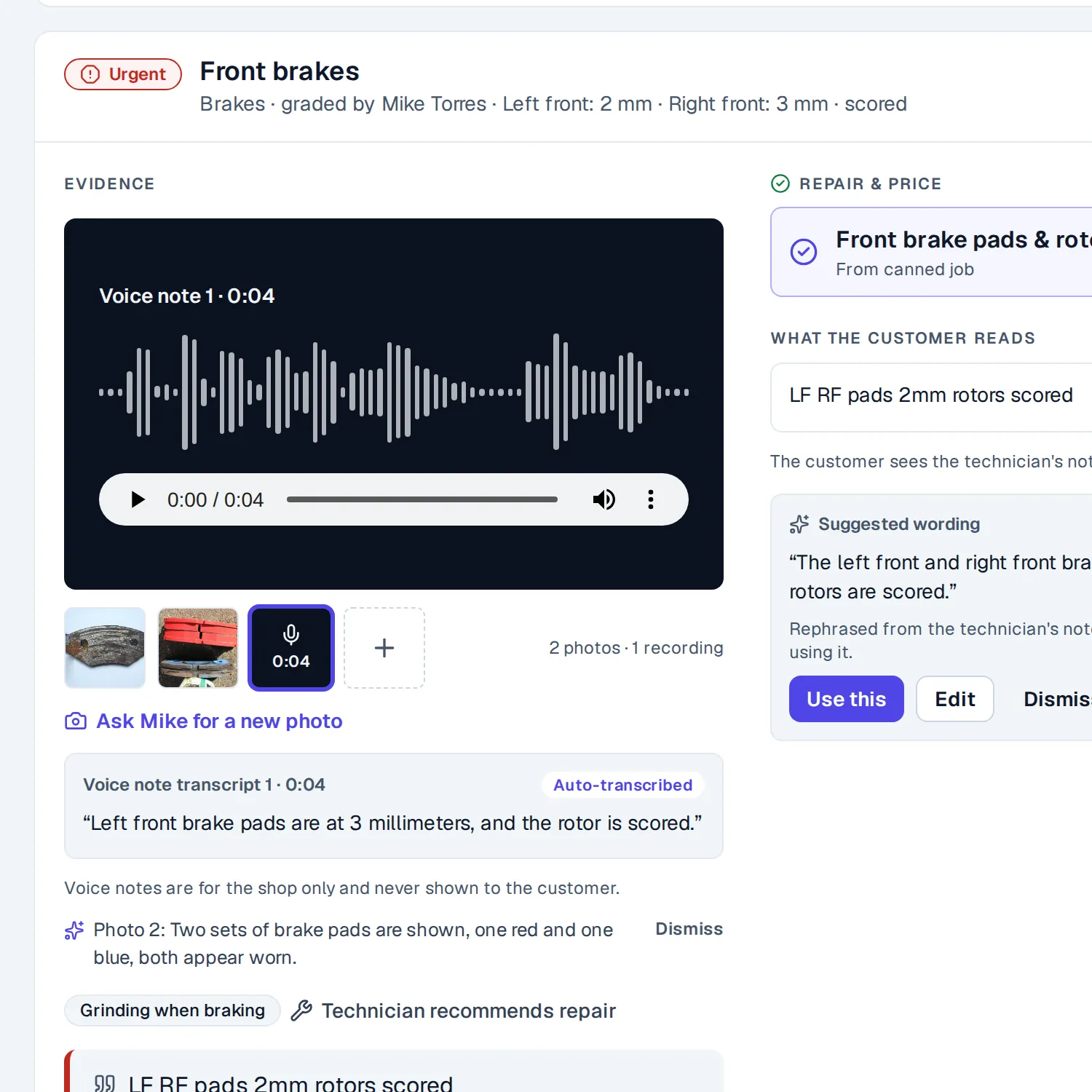
Urgent items ask for a photo before moving on. Draw arrows and circles on it, record a video, or leave a voice note.
Measurements suggest the grade
Tread depth in 32nds, pad thickness in millimeters. Your template's limits suggest Good, Soon or Urgent; the technician decides.
Shared shop tablets
Each technician picks their name and enters a 4-digit PIN. The tablet locks itself between jobs.
Check in from the bay
Scan the VIN with the camera, decode year, make and model, and start the inspection on the spot.
Inspect. Urgent finding with a photo and a quick-finding chip.
Advisor portal · desktop
Every car on one board. Every finding one click from a price.
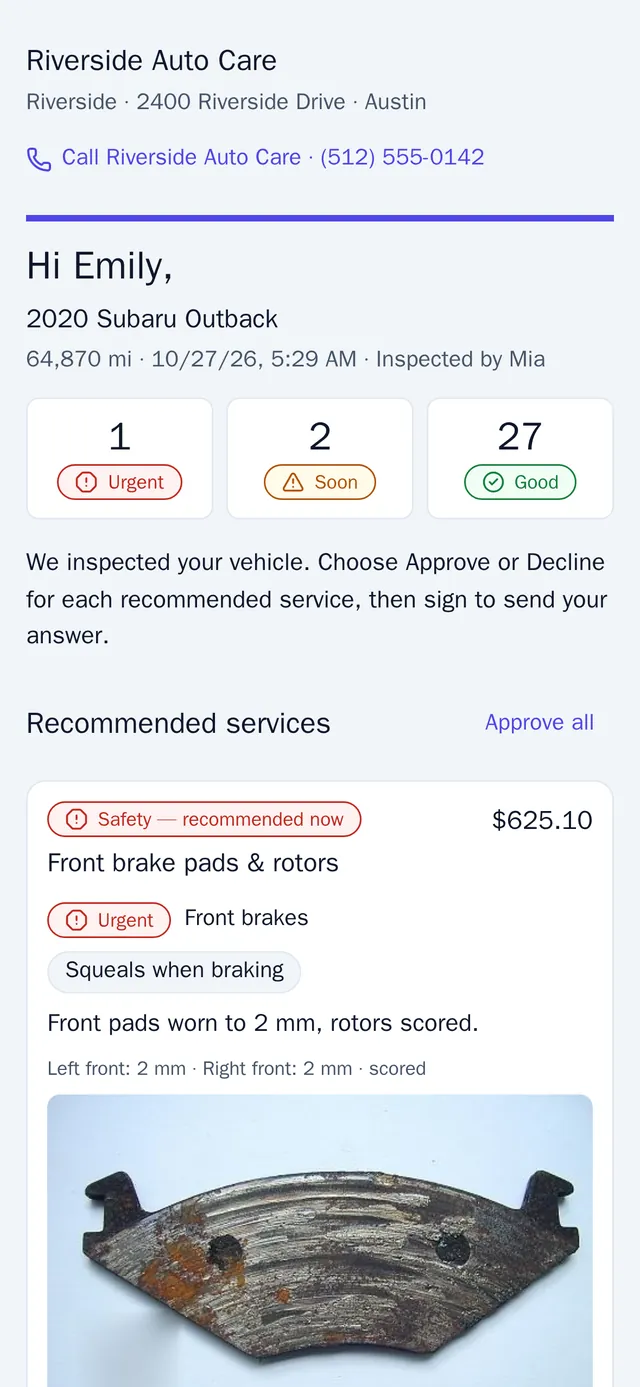
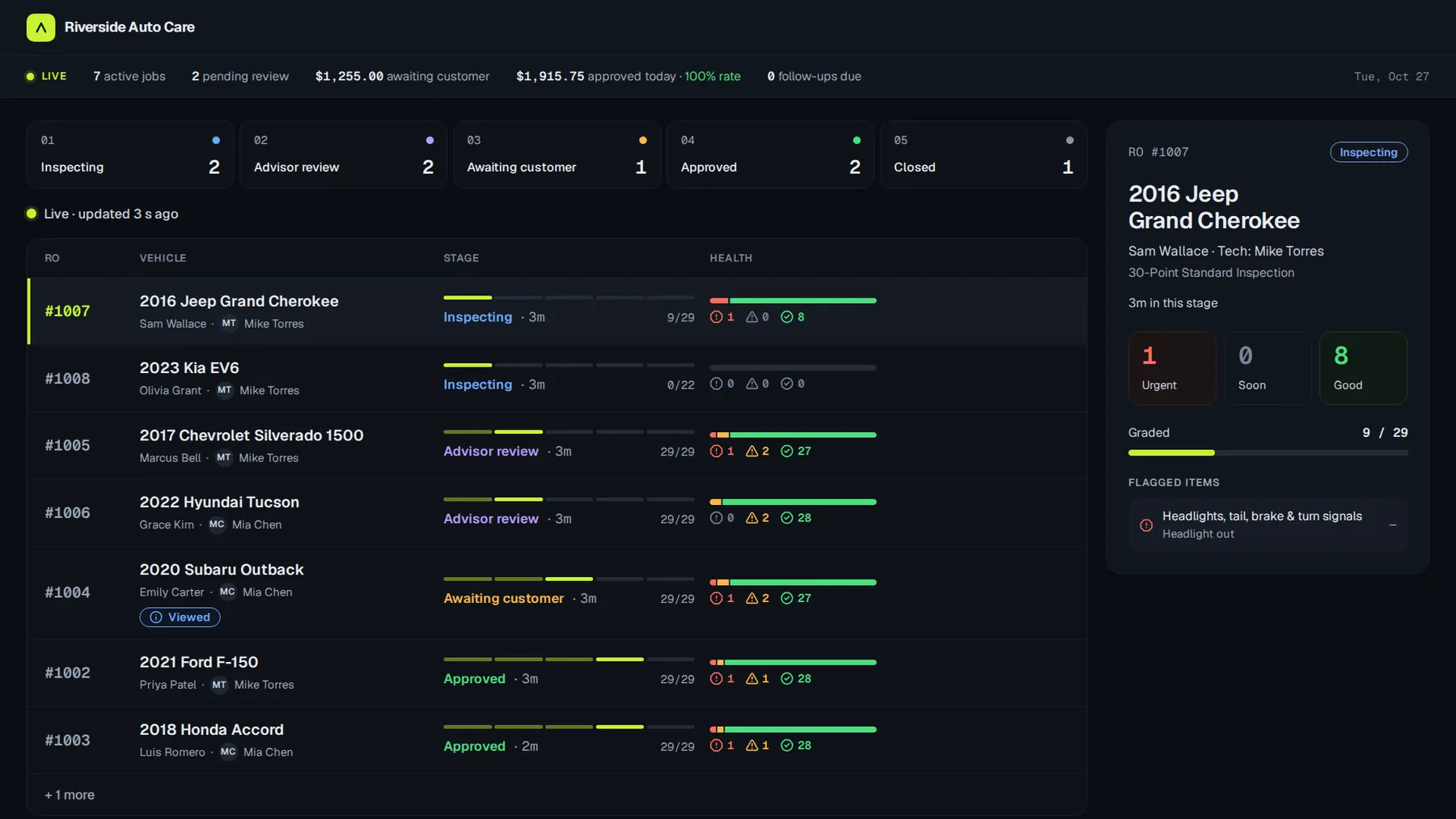
Advisors see each repair order as a single line with its stage, time in stage and health. Select one and the urgent items, prices and the next step are right there.
Live board
Live board. Stage counts across the top, a line per vehicle, and a pulse line with dollars awaiting the customer and approved today. Changes arrive without a reload.
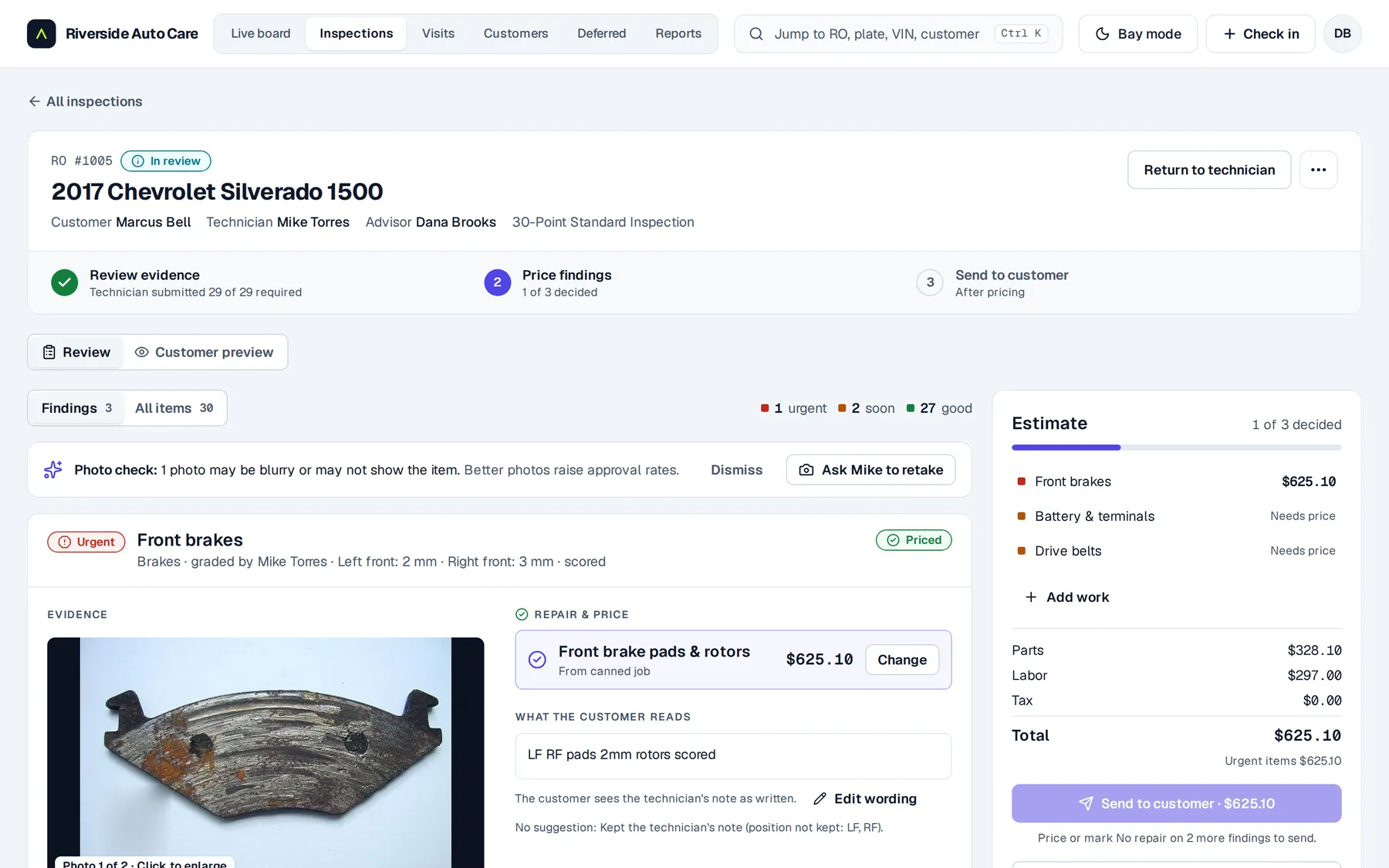
RO #1005 · 2017 Chevrolet Silverado 1500
Review & price. Each finding shows its photos and readings next to the repair. Canned jobs price labor and parts with your rates, parts matrix, fees and tax. A blurry photo? Ask the technician for a new one from here.
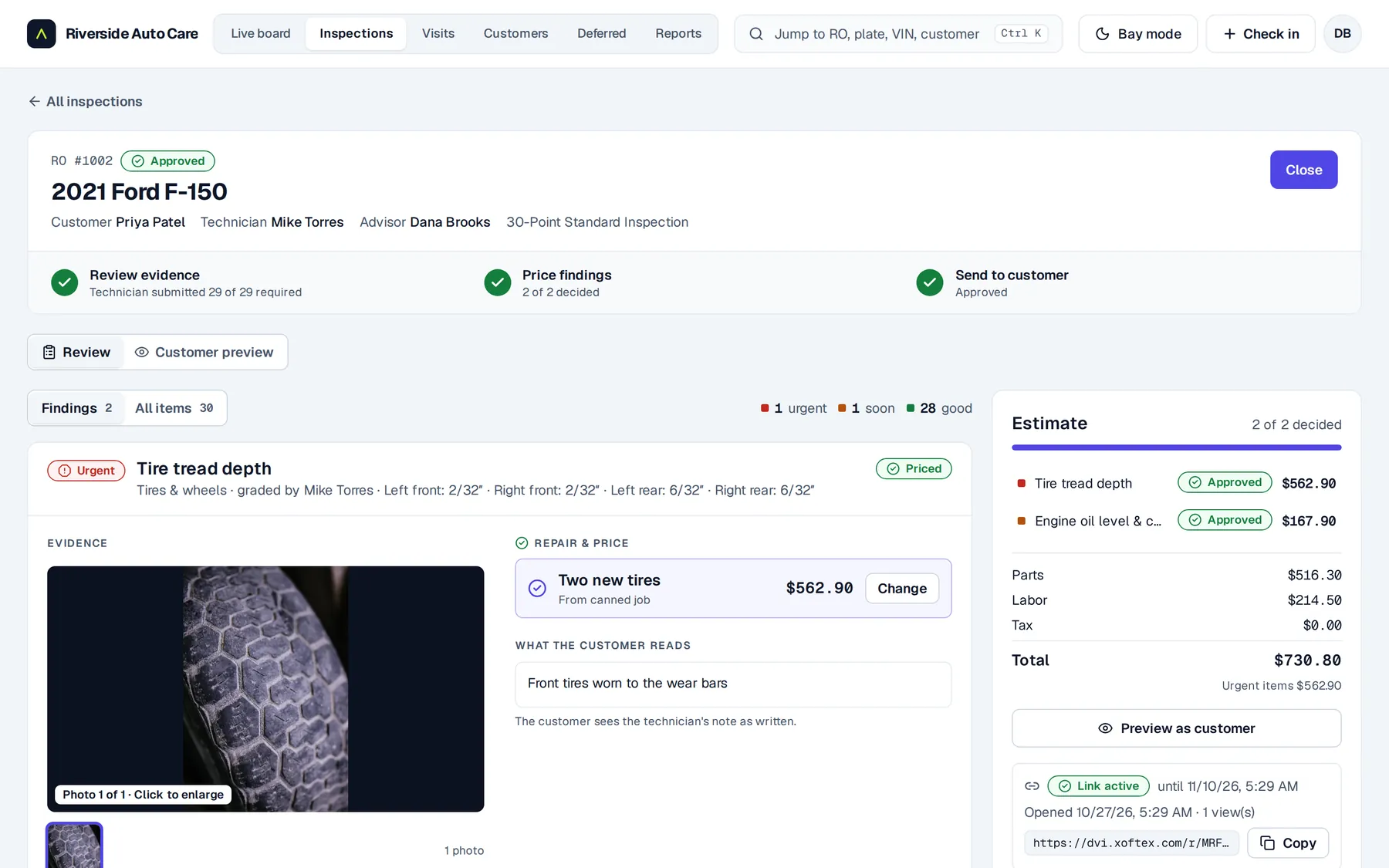
RO #1002 · 2021 Ford F-150
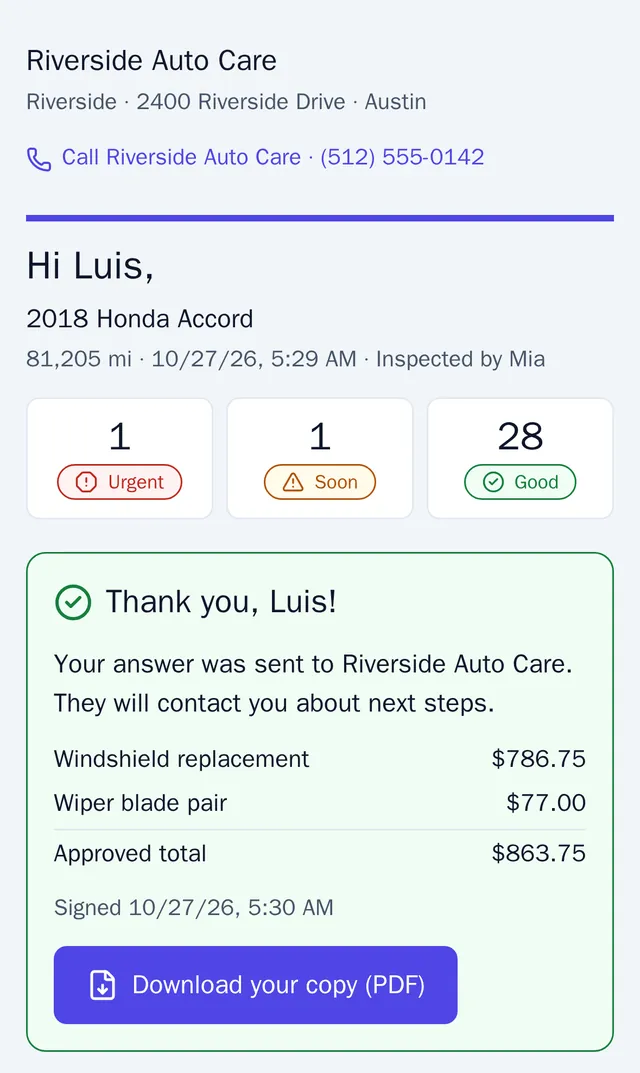
Customer's answer. Approved and declined services, the signed total, and a PDF of exactly what the customer saw and signed.
Shop TV
Shop TV. Pair a wall screen with a code. It shows the board without a sign-in and can hide dollar amounts and full names.
Pricing that holds
Labor rates per location with the typical local rate alongside, Good / Better / Best parts prices, a markup matrix, fees and tax. Prices are saved with the quote, so a later rate change never alters it.
Keyboard first
Press Ctrl K to jump to any RO, plate, VIN or customer. S sends, R starts review.
Three themes
Light for the front desk, Shop Floor with stronger contrast, and Bay mode for dim bays and wall screens.
Customer report · any phone
A report customers open, understand and sign.
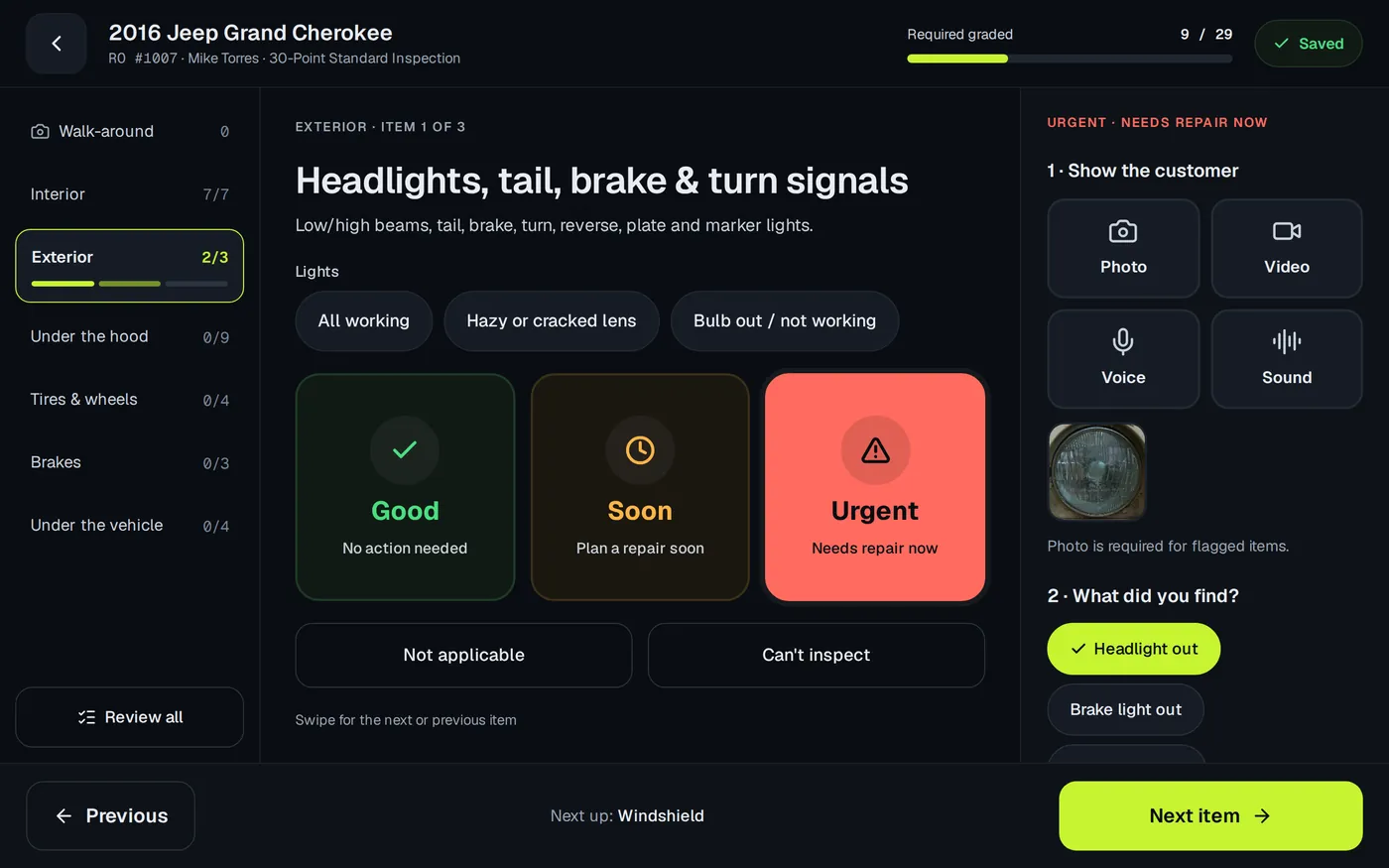
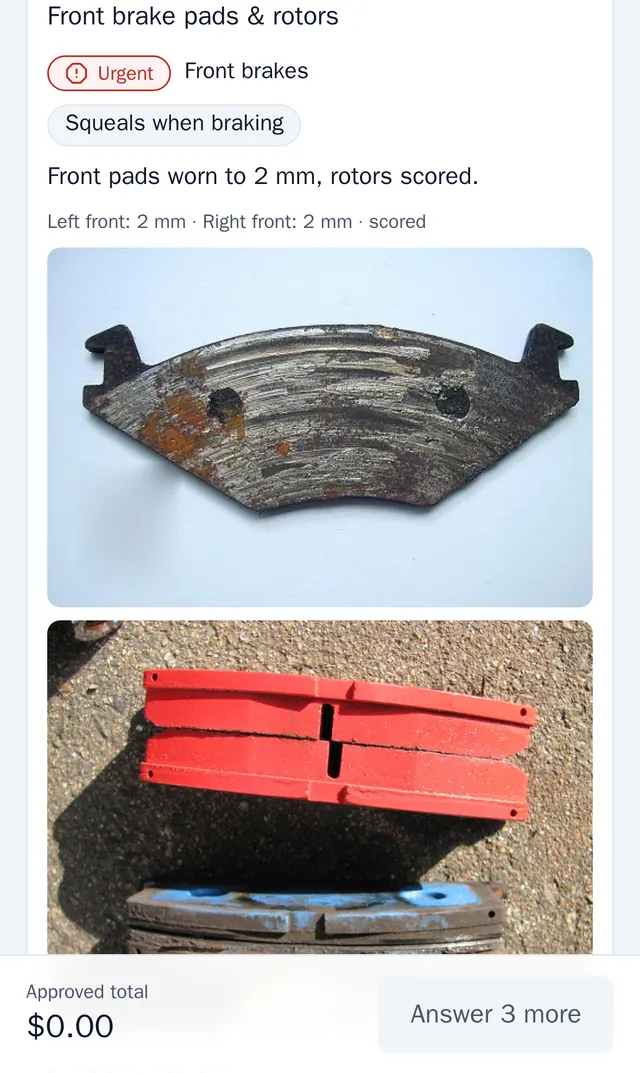
No app and no login. The link in the text opens the shop's report with urgent items first, real photos, plain-language notes and a running total.
Opens from a textShop, vehicle and what was found, at a glance.
Sees the evidencePhotos and readings for every recommendation.
Signs on the glassName, signature and consent in one step.
Keeps a copyApproved services, total and a PDF.
Approve or decline each service on its own
Declining an urgent safety item needs an explicit acknowledgement
A signed snapshot of the exact prices shown is kept for the record
Links expire and can be revoked when the advisor revises the report
Shop name, logo, color and footer on every report
Accessible to WCAG 2.2 AA and fast on a 4G connection
AI assist
AI drafts the words. Your people make the call.
Technicians write in shop shorthand. Customers need plain English. AI bridges the two and checks the photos, and every suggestion waits for a person to accept it.
Technician typed
LF RF pads 2mm rotors scored
↓ suggested wording
What the customer can read
The left front and right front brake pads measure 2 mm, and the rotors are scored.
Rephrase only. A suggestion that adds a number, a severity or advice such as "should replace" is rejected before anyone sees it.
Front brakes · AI suggestions
VOICE → TEXT
Talk, don't type
Voice notes are transcribed with shop vocabulary. "Four thirty-seconds" becomes 4/32.
WORDING
Plain-language notes
Shorthand like LF, RR or serp belt turns into sentences a customer understands. Use, edit or dismiss.
PHOTO CHECK
Catch bad photos early
Flags blurry or dark photos and photos that don't show the item, before the report goes out.
YOUR SERVERS
Private by design
Runs on self-hosted models, so photos and notes never leave your infrastructure. Each shop can switch it off.
Follow-ups and reports
Declined today, booked next month.
Declined repairs and "soon" items go into a follow-up list on their own, with a due date or mileage. Reminders go out only to customers who agreed to marketing messages, and never at night.
Reminders with a booking link
Urgent items come back sooner than soon items. The customer taps a link to request a visit, and reminders stop.
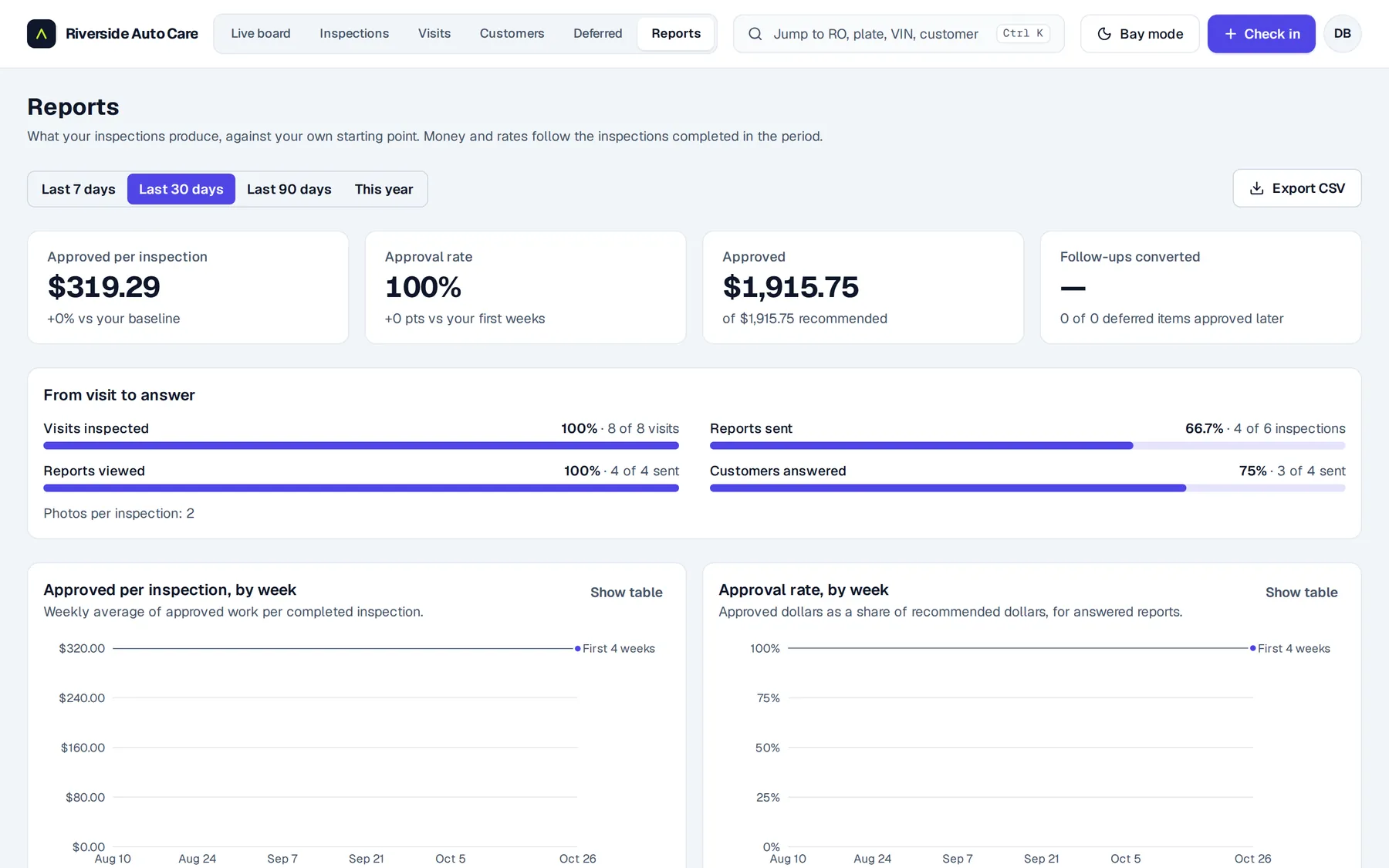
Proof it raises the ticket
Approved dollars per inspection against your own starting point, approval rate, sent, viewed and answered, by technician and advisor.
Reports
For fleets
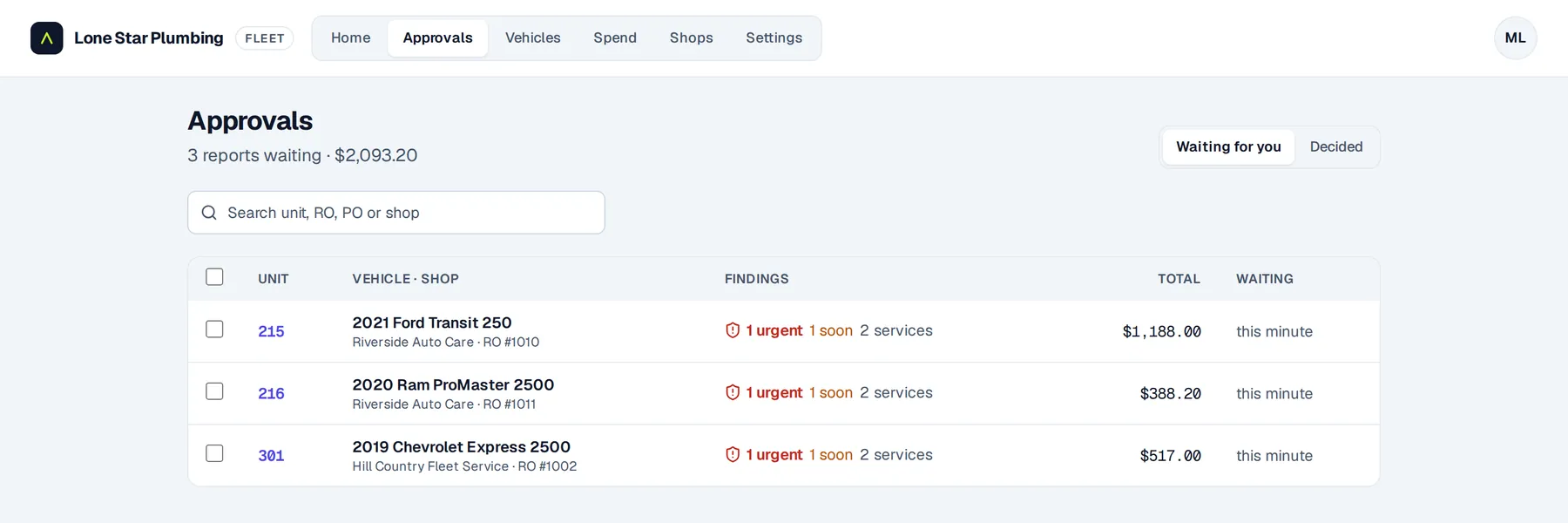
Fleet approvals without the phone tag.
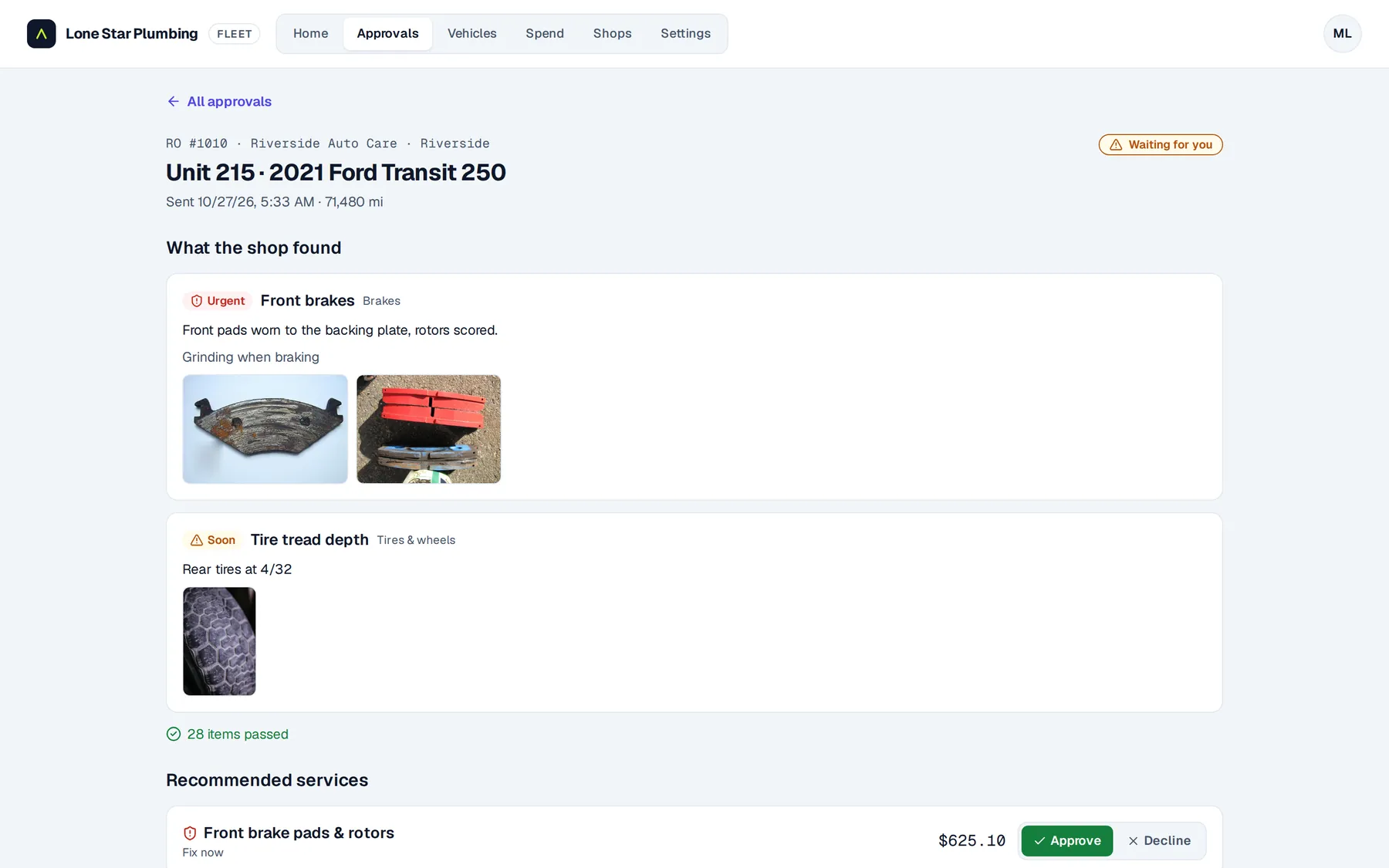
A free portal for the companies that send you their vans and trucks. A fleet connects to every shop it uses; each report arrives with photos and prices, and the answer goes back with a PO number, without a phone call.
Approve or decline each repair, or approve many reports in one step with one PO number. The shop sees the answer, the PO and who approved it right away.
Rules and limits
Small reports can be approved automatically up to a limit the fleet sets. Urgent safety items always wait for a person, and each approver can have their own limit.
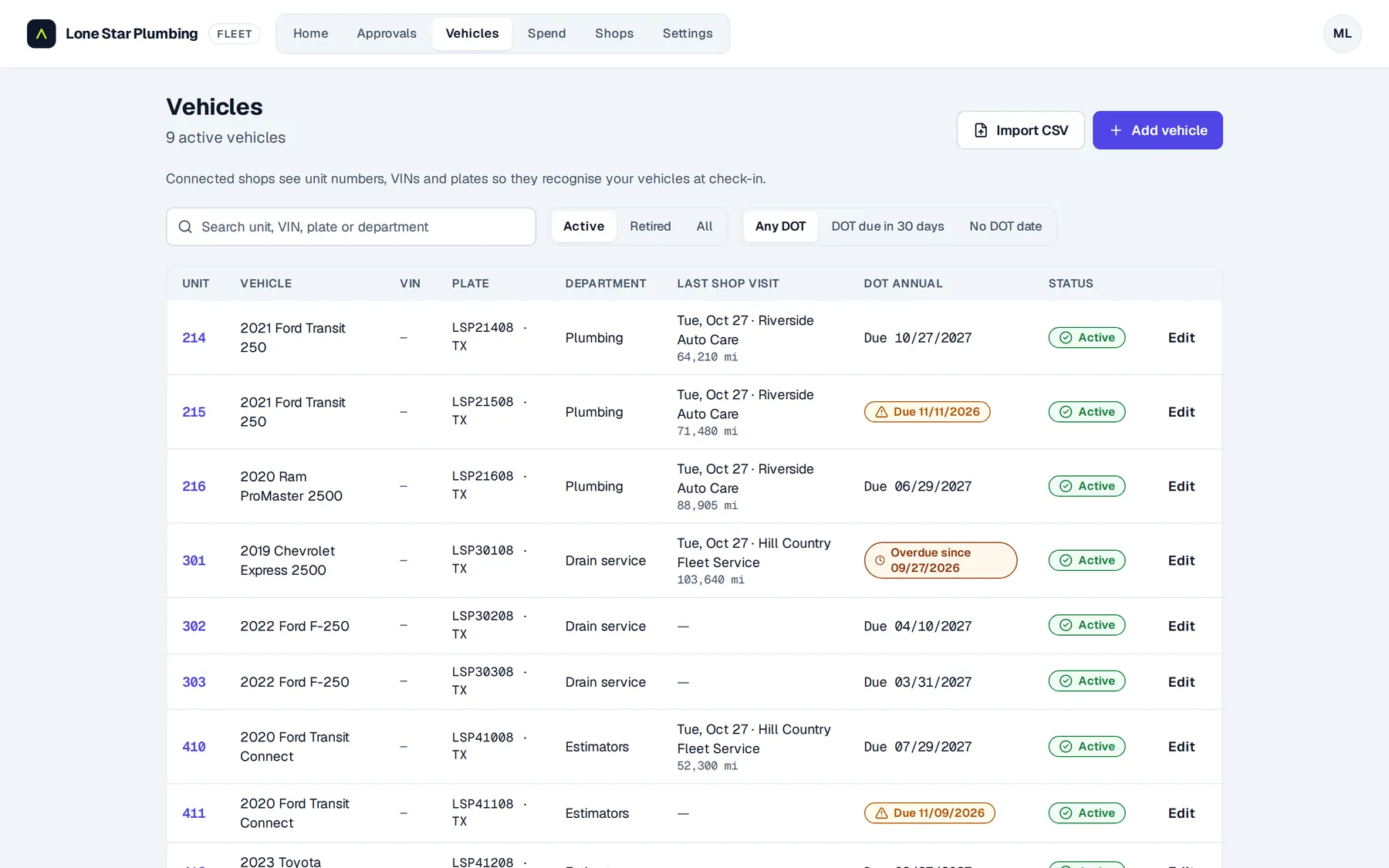
Every vehicle, every shop
Unit numbers, VINs and plates, imported from a spreadsheet. Each vehicle shows its history, mileage and open recommendations from every connected shop.
Agreed prices, applied for you
The shop sets the fleet's labor rate, parts markup and tax exemption once; every report to that fleet uses them.
Spend and people
Spend by month, vehicle and shop with a CSV export. Fleet admins, approvers and view-only users, each with their own sign-in.
Fleet portal · Approvals
Unit 215 · Riverside Auto Care
DOT annual inspection
Annual inspections with the paperwork done.
A pass / fail form that follows the 49 CFR 396 Appendix G inspection items, signed on the tablet.
Only a technician recorded as a qualified inspector (§396.19) can sign
The signed report and its PDF are kept for at least 14 months, by the shop and the fleet
The fleet sees each vehicle's next due date and which ones are overdue
Inspections done elsewhere can be entered by hand
The report records what the regulation asks for. The shop and its inspector remain responsible for the inspection.
Fleet portal · Vehicles
Two ways to run it
Use it as your inspection system, or build it into yours.
The same product either way. Shops can sign up and work in it from day one. Shop management systems and parts platforms can add inspections through a public API and signed webhooks.
Standalone SaaS
A complete inspection product for the shop
Several locations under one account, with Owner, Admin, Advisor and Technician roles
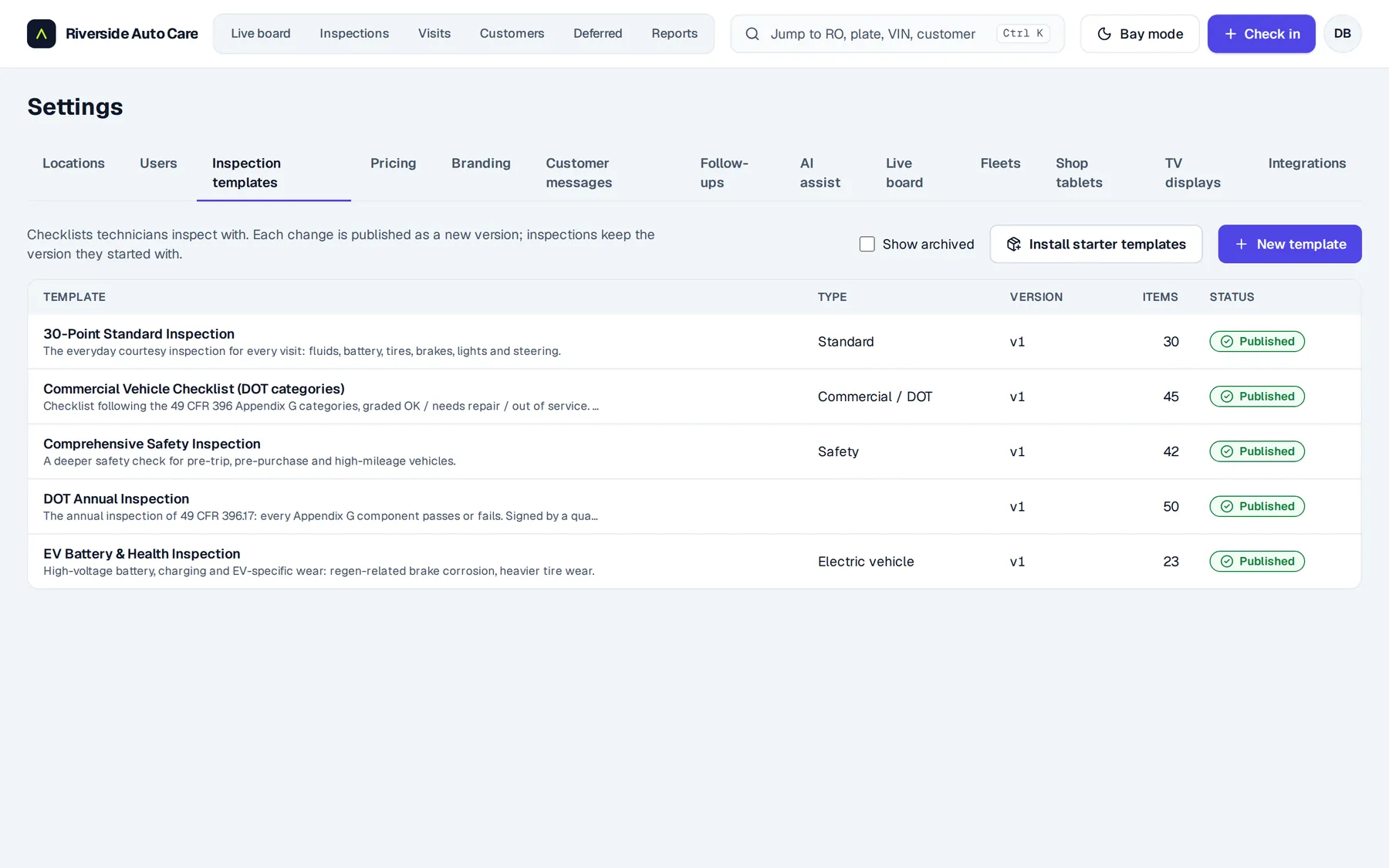
Five starter templates: 30-point, comprehensive safety, EV battery & health, commercial vehicle and DOT annual inspection
Template editor with your own items, measurements and grading limits
Customers, vehicles with VIN decoding, visits and ownership history
Your branding on reports, texts and email
Integration module
Inspections inside your shop system
REST API with OpenAPI reference and per-shop API keys with scopes
Webhooks signed with HMAC-SHA256, retried for 24 hours, with a delivery log and replay
Sync customers, vehicles and repair orders in by your own IDs
Approved services and totals are one API call away once the customer signs, with the fleet's PO number when a fleet approved
# Signed delivery to your system when the customer signsPOST /webhooks
Dvi-Signature: t=1792735556,v1=9c1f…e04a
{ "type": "dvi.inspection.approved",
"version": 1,
"data": { "inspectionId": "01a1675d-…",
"from": "SENT", "to": "APPROVED",
"approved": 2, "declined": 0 } }
# Then fetch the approved lines and totalsGET /api/v1/integration/inspections/01a1675d-…
Security and compliance
Built for shops that answer to customers, states and auditors.
Every shop sealed off
Each shop's data is separated in the application and again by the database itself, and tested on every endpoint.
Estimate authorization
Each signature stores the exact lines, prices, tax and totals shown, with a fingerprint, time, IP and device.
Consent on record
Text and email consent is logged per channel and purpose. Opt-outs apply at once; reminders respect quiet hours.
Full audit trail
Every stage change, price change, approval and permission change is recorded with who and when.
Private photos
Location data is stripped from photos on upload. Customers see media only through short-lived links.
Your models, your servers
Speech, text and vision models run self-hosted. A hosted AI provider is an option, never a requirement.
Put your next inspection in front of the customer.
Create a shop, invite your technicians, and send your first report today. Building a shop system? The integration guide shows the full loop.